iNaturalist / Mushroom Observer Label Generator
This web application runs inat.label.py to generate labels for iNaturalist and Mushroom Observer observations. Follow the simple steps below to create your labels.
How to Use
1. Enter observations and click away from the input to look them up. You can mix iNaturalist and Mushroom Observer entries.
Supported input formats:
- iNaturalist: Enter just the number (e.g.,
150291663) or the full observation URL. This generates an iNaturalist label. - Mushroom Observer: Enter
MO12345(case-insensitive) or a Mushroom Observer observation URL. This generates a Mushroom Observer label. - Convert MO → iNat: Enter
motoinat12345ormoinat12345to convert the MO observation to its iNaturalist counterpart and generate an iNaturalist label. - Add Observations: Use Add Observations to generate labels for any username / taxonomic group.
- BugGuide: Enter
BG12345,BG 12345, orBugGuide 12345. These identifiers are only supported when generating minilabels.
2. You can also enter multiple numbers separated by a space or comma.
3. A new box will appear for the next observation number(s).
4. You'll receive immediate feedback with the organism name and the iNaturalist / MO user who created the observation.
One-click URL Preloading
You can preload observations and label options directly in the URL. This is useful for sharing a link that opens the label generator with the observation list and print settings already filled in.
Common URL parameters:
obs,observations, orids: observation numbers, separated by commas. Repeating the parameter also works.omit_qr_codes=1: check Omit QR Codes.print_duplicate_labels=1: check Print duplicate labels.minilabel_size=1throughminilabel_size=10: enable Mini-labels at that size.common_names=1andomit_notes=1: check those label options.add_fieldsandremove_fields: include or exclude observation fields. Separate multiple fields with commas.open_add_observations=1withsource,username,taxon,d1, andd2: open the Add Observations panel with those filters prefilled.
Clickable examples:
BugGuide Labels
You can create labels for BugGuide observations by entering the BugGuide ID directly into the input fields using formats such as BG 2520730, BG2520730, or BugGuide 2520730.
Important Note: BugGuide inputs are exclusively supported when the Mini-labels option is enabled. If you enter BugGuide IDs during a normal label print run, they will intentionally be skipped.
Color Coding System
Printing Labels
You can make labels for 500 observations at a time. If you want to do more, contact Alan Rockefeller. When you're ready:
1. Click Print RTF Labels to download labels.rtf, or Print PDF Labels to download labels.pdf.
2. Open the RTF file in LibreOffice Writer or Microsoft Word; open the PDF in any PDF viewer. LibreOffice Writer works better than MS Word because MS Word doesn't wrap the labels properly, so some will be split between pages, requiring manual editing.
3. The labels will be arranged in two columns with QR codes. Often 8 labels fit on a page - but that depends on your observation fields.
Note (RTF): If the QR code is missing, ensure you're opening the RTF file in a program that supports images in RTF files like Libreoffice Writer.
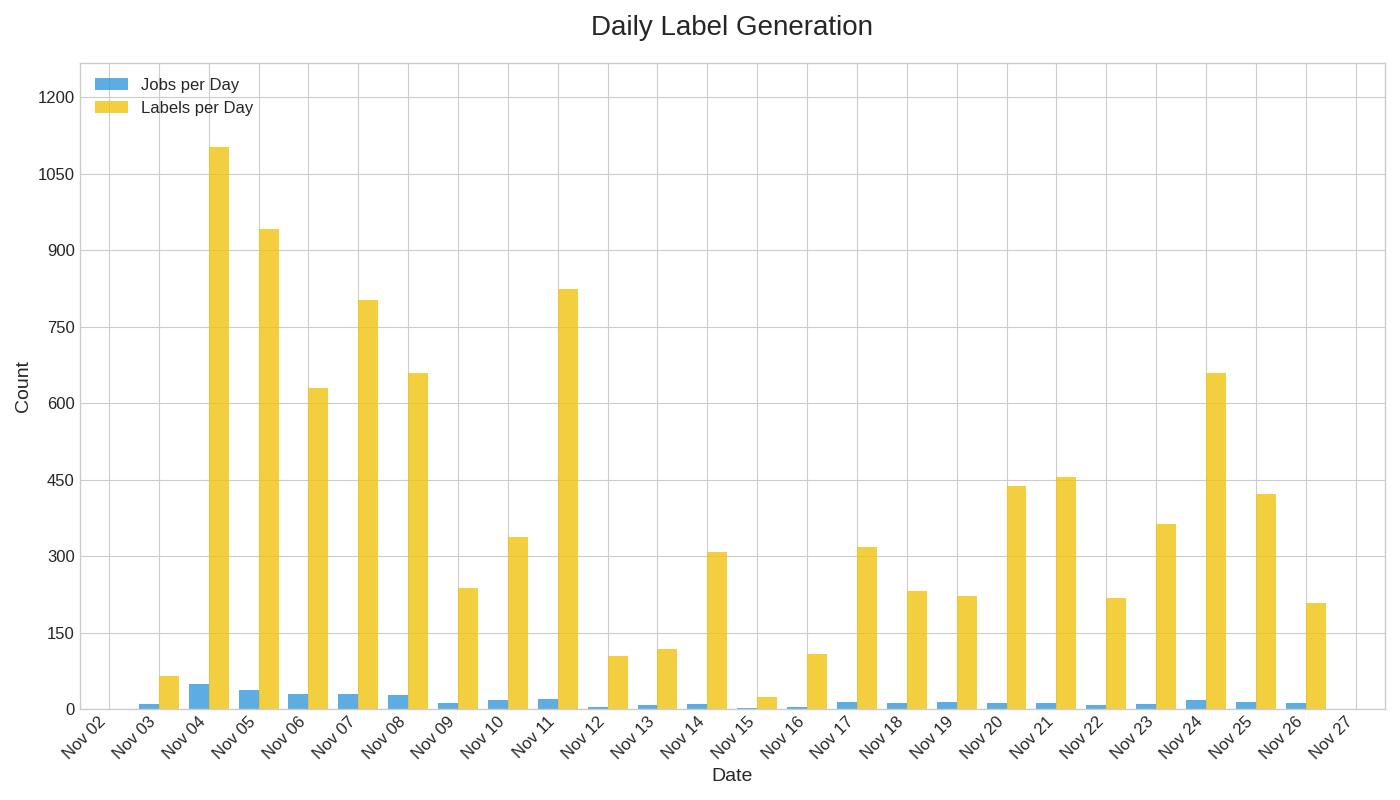
Usage Statistics
Visit the inat.label.py repository on GitHub for more information